
Digital Estate Planning: What It Is and How to Start
Most people spend their lives building a digital footprint they never think about until someone dies. Email accounts, photo libraries, crypto wallets, subscription services, social media profiles: all of it sits behind passwords that die with you unless someone else knows where to look. That's the gap digital estate planning is meant to close.
At its core, digital estate planning means creating a clear record of your online accounts and digital assets, deciding who should have access, and documenting how you want each one handled after you pass. It sits alongside your will and power of attorney, but it covers things traditional estate documents usually miss, like login credentials, cloud storage, and digital memorials.
In this guide, you'll get a plain-language answer to what digital estate planning actually covers, a practical checklist for cataloging your digital assets, and a look at the tools and platforms that make the process easier. We'll also touch on how services like digital memorial pages fit into a modern digital legacy plan, giving families a permanent, shareable place to preserve someone's story alongside their financial and legal affairs.
Why digital estate planning matters now
Twenty years ago, estate planning meant a will, maybe a trust, and a filing cabinet full of paper. Today, the average American juggles dozens of online accounts, from banking apps to streaming subscriptions to cloud photo libraries holding decades of family memories. Digital estate planning exists because those assets don't fit neatly into a traditional will, and without a plan, they often just disappear or get locked behind a password nobody else knows.
The scale of the problem
Families routinely discover this the hard way. A widow can't access her husband's email to notify contacts. Siblings fight over who controls a deceased parent's Facebook memorial comments. A crypto wallet worth thousands sits frozen forever because the private key died with its owner. These aren't rare edge cases anymore; they're becoming the default experience of settling an estate. The Federal Trade Commission has warned consumers directly about the risks of leaving digital accounts unmanaged, since unclaimed accounts become easy targets for identity theft (https://consumer.ftc.gov/features/how-protect-your-family-identity-theft-after-death).
If nobody knows your accounts exist, nobody can protect them or preserve them.
Why the law hasn't caught up
Estate law was written for physical property: houses, cars, bank accounts with paper statements. Most digital assets in estate planning fall into a legal gray area because service providers' terms of service, not state probate law, often dictate who can access an account after death. Some states have adopted the Revised Uniform Fiduciary Access to Digital Assets Act, which gives executors clearer legal standing, but enforcement still depends heavily on whether you've documented your wishes in advance. Without that documentation, even a legally appointed executor can spend months in email support tickets trying to prove they have the right to close an account.
The emotional cost, not just the financial one
Beyond passwords and passcodes, there's a quieter cost. Photos, voice messages, and written memories stored only in the cloud can vanish if nobody knows the login exists. Grieving families lose access to exactly the things that would have comforted them most. This is part of why more people are pairing legal digital estate planning with dedicated tools for preserving a life story, like memorial pages, so the emotional and practical sides of a digital legacy don't get separated. Getting ahead of this now, while you're organized and clear-headed, saves your family from piecing together your digital life during the worst weeks of their grief.
What counts as a digital asset
Digital assets cover far more than social media logins. Anything you access online, store in the cloud, or manage through a login counts, and much of it has real financial or sentimental value. Courts and financial institutions are still catching up to this reality, which is exactly why estate planning digital assets now require their own inventory instead of getting lumped in with physical property.
Common categories to inventory
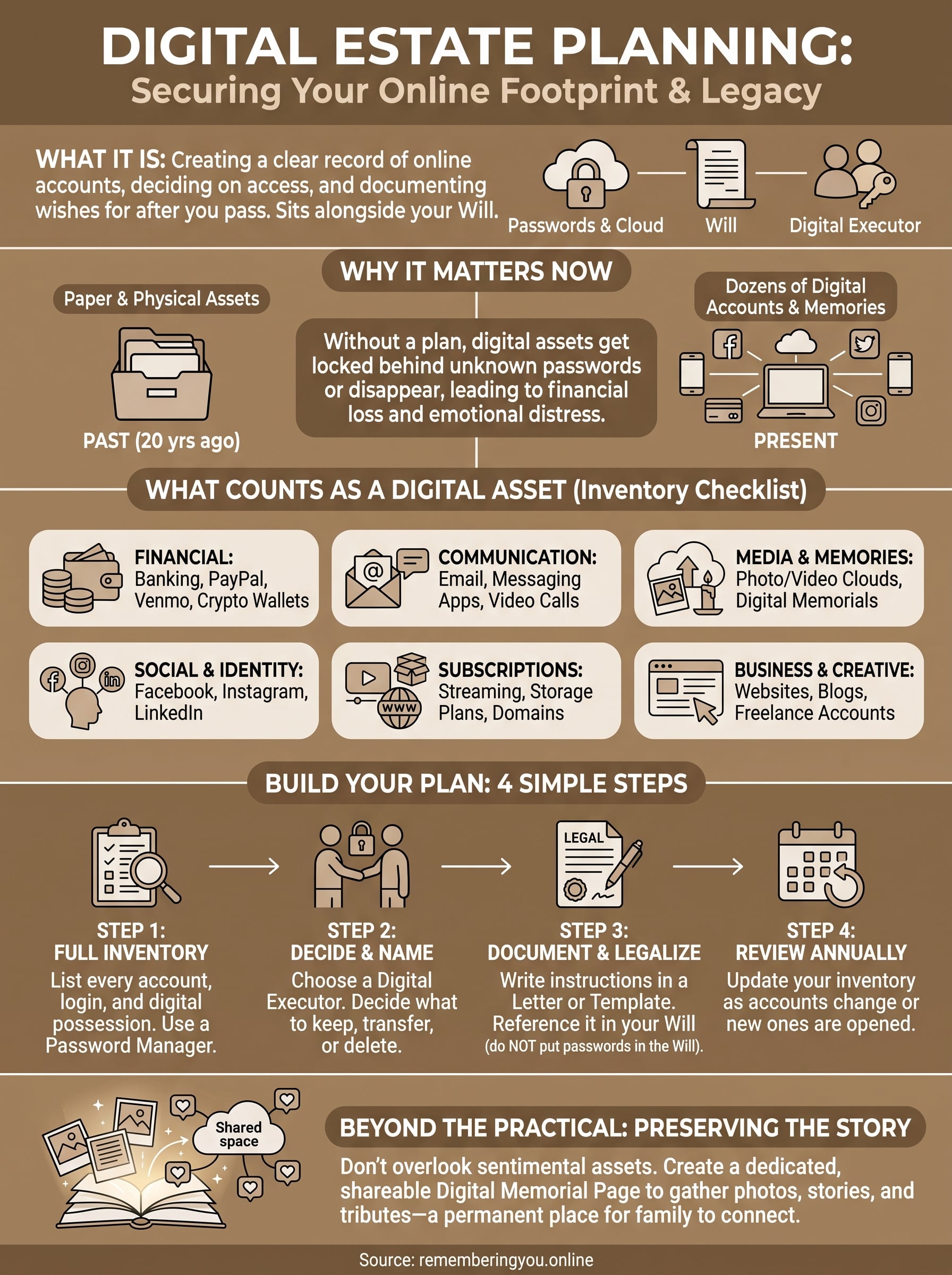
Most people's digital footprint breaks down into a handful of categories. Mapping yours against this list is the fastest way to see what you'd otherwise leave unaccounted for:
| Category | Examples |
|---|---|
| Financial | Online banking, PayPal, Venmo, crypto wallets, investment apps |
| Communication | Email accounts, messaging apps, video call archives |
| Media and memories | Cloud photo libraries, video storage, digital memorial pages |
| Social and identity | Facebook, Instagram, LinkedIn, dating apps |
| Subscriptions and services | Streaming platforms, cloud storage plans, domain names |
| Business and creative | Websites, blogs, monetized channels, freelance accounts |
The assets people forget until it's too late
Crypto holdings and domain names cause the most damage when overlooked, since there's often no customer service line to call and no paper trail to follow. Loyalty points, airline miles, and gaming accounts with real resale value get abandoned constantly simply because nobody thought of them as "assets." Digital photo libraries deserve special attention too; a decade of family photos stored only in one cloud account can disappear the moment that account goes inactive.
An asset you never wrote down is an asset your family can't inherit.
Treat anything with a login, a balance, or a memory attached to it as part of your digital asset estate planning inventory, not just the accounts with obvious dollar value.
How to build a digital estate plan step by step
Building a real plan doesn't require a lawyer on day one. Start with information gathering, then layer on legal documentation once you know what you're actually protecting. Most people can get a working digital estate planning checklist done in a single weekend if they sit down and work through it methodically.
Start with a full inventory
List every account you can think of: banking, email, social media, subscriptions, crypto wallets, cloud storage, domain names. Don't rely on memory alone; check your email inbox for "welcome" and "receipt" messages to jog your memory on forgotten accounts. A password manager like Bitwarden or 1Password makes this step faster since most of your logins are already stored in one place.
Decide who gets access and how
For each account, decide whether it should be closed, memorialized, transferred, or deleted. Name a digital executor, someone tech-comfortable and trustworthy, who will carry out these wishes. This person doesn't need to be your primary estate executor, but they should know they've been chosen.
A plan without a named executor is just a list nobody's allowed to use.
Document it and make it legal
Write your instructions into a digital legacy planning template or letter of instruction, then reference that document in your will. Never put actual passwords directly in your will since it becomes public record during probate. Instead, store credentials in a password manager and leave access instructions with your attorney or executor.
Review it annually
Accounts change constantly. Set a yearly reminder to update your inventory, especially after opening new financial apps or closing old social accounts, so your plan never goes stale.
Tools and platforms that make it easier
You don't need to build a digital estate planning platform from scratch using spreadsheets and sticky notes. A growing set of tools now handle the heavy lifting, from securely storing passwords to generating legal-ready instructions your executor can actually use.
Password managers as your foundation
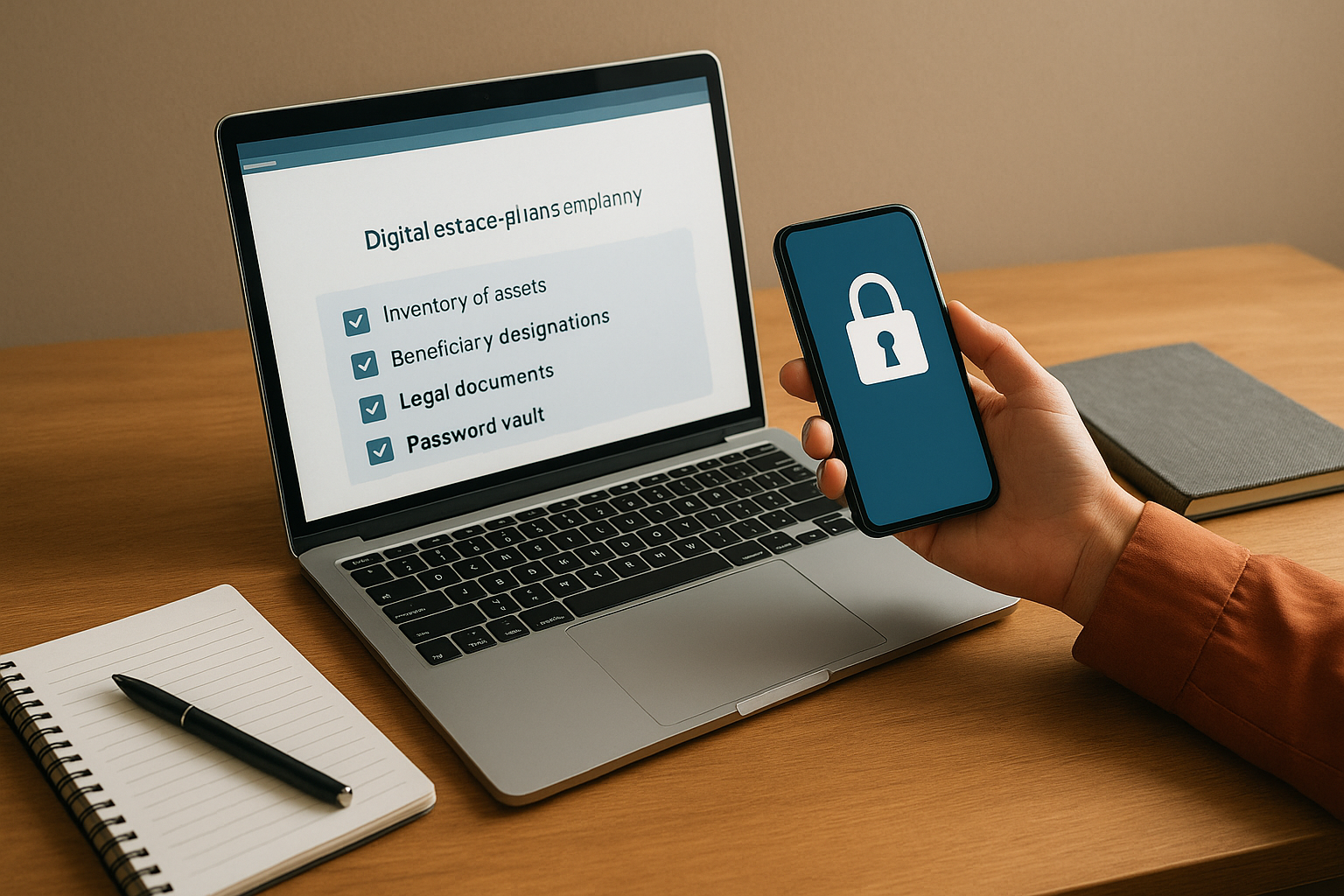
Start with a password manager. Tools like Bitwarden, 1Password, and Dashlane let you store logins, add emergency access contacts, and export encrypted vaults your executor can unlock only after you've passed. This single step solves the biggest practical problem in digital estate planning tools: getting credentials out of your head and into something that survives you.
Dedicated digital estate planning software
Beyond password vaults, dedicated digital estate planning software walks you through asset inventories, beneficiary designations, and legal document generation in one place.
| Tool type | What it handles | Best for |
|---|---|---|
| Password manager | Login storage, emergency access | Everyone, as a starting point |
| Legacy planning app | Asset inventory, beneficiary instructions | Detailed digital estates |
| Attorney-drafted template | Legal integration with a will | Complex or high-value estates |
The right tool doesn't replace your plan, it just makes the plan easier to keep current.
Preserving the story, not just the assets
Spreadsheets and vaults protect logins, but they don't preserve the person. That's where dedicated memorial tools fill a gap that traditional digital estate planning service providers ignore. A platform built for creating a shareable tribute page, complete with photos, a life timeline, and a guestbook for family memories, gives your loved ones a place to gather that a password manager never will. Pairing that kind of memorial page with your practical inventory rounds out a digital legacy plan that covers both the paperwork and the person behind it.
Mistakes that leave digital assets unprotected
Even people who mean well end up with gaps in their digital estate planning, usually because they assume one document or one conversation covers everything. The mistakes below show up over and over in probate cases and family disputes, and almost all of them are avoidable with a little foresight.
Relying on memory instead of documentation
Telling your spouse "the passwords are all the same one I always use" isn't a plan. Verbal instructions get forgotten, misremembered, or lost entirely if that person dies first or develops memory issues of their own. Write everything down in a password manager or a dedicated letter of instruction, not just in your head.
A plan that only exists in conversation disappears the moment someone forgets it.
Skipping the legal side entirely
Some people build a thorough asset inventory but never name a digital executor or reference the plan in their will. Without that legal backbone, even a well-organized list can't grant anyone authority to act on it. Estate planning digital without legal integration leaves your executor stuck arguing with customer service reps instead of settling your estate.
Letting the plan go stale
Accounts change fast. People switch banks, close old social profiles, and open new crypto wallets, then forget to update their records. A two-year-old inventory is often as useless as no inventory at all.
Forgetting sentimental assets
Financial accounts get the attention, but photo libraries, voice memos, and memorial pages often get overlooked entirely. These carry no dollar value but enormous emotional weight, and families notice their absence immediately.
Common gaps to check for
- No named digital executor
- Passwords stored nowhere but memory
- No mention of digital assets in the will
- Outdated inventory missing new accounts
- Sentimental assets like photos left unprotected
Keeping your digital legacy safe
Digital estate planning isn't a one-time task you check off and forget. It's an ongoing habit of documenting what you own online, deciding who should handle it, and making sure that information actually reaches the people you trust. Start with an inventory, name a digital executor, put your instructions somewhere legal, and revisit it every year. Skip any one of those steps and you're leaving your family to guess during the hardest weeks of their lives.
While you're organizing the practical side, don't forget the part a password manager can't hold: your story. A memorial page gives loved ones a lasting place to gather photos, memories, and tributes long after passwords are reset and accounts are closed. If you want to see how simple that piece can be, create a free memorial page today and give your family something worth returning to.