How to Make a Tribute Video: A Step-by-Step Guide
You want to put together a tribute video for someone who mattered, and you're not sure where to start. Maybe it's for a funeral next week, a memorial service, or a birthday tribute for a parent who's still with you. Either way, staring at a blank timeline in a video editor while you're grieving or short on time is rough, and generic tutorials rarely address what actually makes a tribute land emotionally.
This guide walks you through how to make a tribute video from scratch, no editing background required. You'll learn how to gather and organize photos and clips, pick music that fits the person's story, structure the video so it flows instead of feeling like a slideshow, and choose a tribute video maker that won't fight you at every step.
We'll also cover practical tribute video ideas for different occasions, from somber memorial pieces to lighter birthday tributes, plus how to pair your finished video with a lasting digital memorial page so family scattered across the country can watch it, add their own memories, and revisit it anytime, not just on the day of the service.
What is a tribute video and why make one?
A tribute video is a short film, usually two to eight minutes, that pulls together photos, video clips, music, and sometimes on-camera messages to tell the story of a person's life or a specific relationship. Think of it as a video tribute version of a eulogy: instead of one person speaking at a podium, you're showing the moments themselves, a wedding dance, a fishing trip, a kid's birthday party, and letting them speak for the person. Some are built for funerals and memorial services. Others celebrate a milestone birthday, an anniversary, a retirement, or a graduation while the person is still around to watch it.
A tribute video works because it shows a life instead of just describing one.
Why families and friends choose to make one
People default to a slideshow with music because it feels manageable, but a well-made tribute video does more work than a slideshow ever could. It gives distant relatives who couldn't attend the service a way to experience the same moment. It gives kids and grandkids something they can watch again in five years when the memory of a voice or a laugh starts to fade. And it gives whoever is speaking at the service a natural pause, a moment where the room can breathe instead of listening to another speech.
Where tribute videos fit into a memorial
Most families play the video at the funeral or wake, then want a way to keep it accessible afterward instead of it living forever on someone's old phone or a USB drive in a drawer. That's where a video tribute maker and a hosting plan matter as much as the editing itself. A video you spent hours on shouldn't disappear after the reception. Pairing it with a permanent, shareable home, like a dedicated memorial page, means anyone with the link can watch it a year from now, on an anniversary, or whenever they need to feel close to that person again.
Occasions where a tribute video fits naturally:
- Funerals and memorial services
- Wakes and celebrations of life
- Birthday tributes for aging parents or grandparents
- Anniversaries of a passing
- Retirement send-offs
- Pet memorials
- Estate or family history archives passed down to future generations
Step 1. Gather photos, videos, and memories
Before you open any editing software, spend time collecting raw material. This is the step people rush, and it's the one that determines whether your tribute video actually feels personal or looks like a stock template with someone's name pasted in. Text the immediate family and ask them to send whatever they have, phone photos, old scanned prints, home videos on a shelf, even voicemails. You want more than you think you need, because you'll cut half of it later.
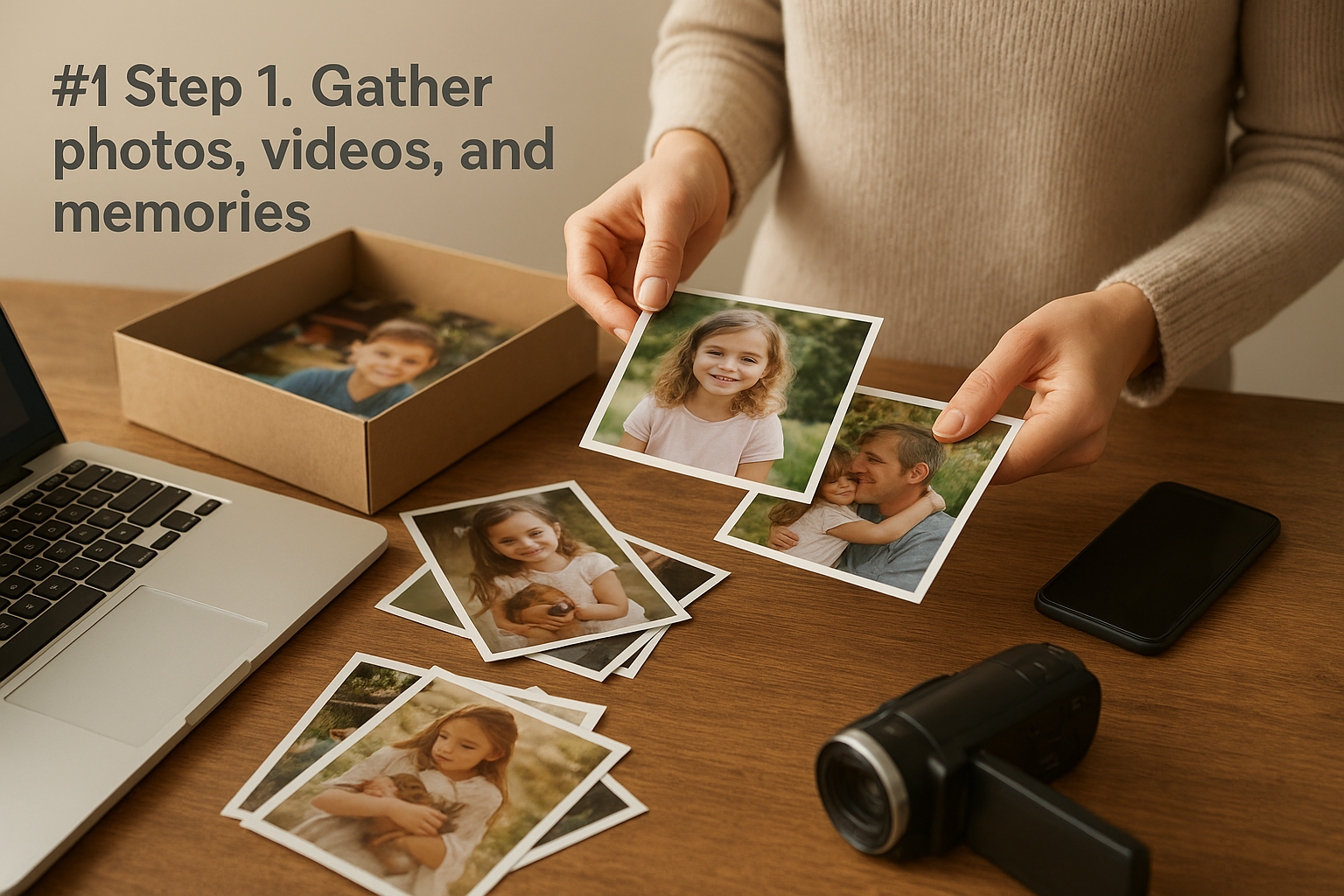
The strength of a tribute video comes from the raw material you collect, not the software you use to edit it.
Build a simple collection system
Don't try to organize everything in your head. Create folders and a shared drive so contributions from cousins, siblings, and friends land in one place instead of scattered across group texts.
- Create a shared folder (Google Drive or Dropbox both work fine) with subfolders by decade or life stage: childhood, young adult, family, later years
- Ask each relative to label photos with rough dates and who's in them
- Pull video clips off old DVDs or camcorder tapes early, since digitizing takes time
- Save any voicemails, texts, or voice memos that capture how the person actually talked
- Note song titles or artists the person loved, you'll need this for Step 4
Pick the moments, not just the milestones
Graduation photos and wedding shots matter, but the clips that make people cry, in a good way, are usually the small stuff: a candid laugh, a pet curled up next to them, a shaky video from a backyard barbecue. When you're sorting through what you've gathered for your video tribute, prioritize anything that shows personality over anything that's just posed and formal.
Step 2. Collect video messages from family and friends
Once you've gathered photos and old footage, reach out for something new: short video messages from people who knew the person well. A tribute video message from a grandchild, a coworker, or an old friend adds a layer that old photos can't. It puts current voices next to old memories, and it gives people who can't attend the service a way to still show up and be part of it.
A handful of thirty-second video messages can carry more emotional weight than ten minutes of photos alone.
Make it easy for people to say yes
Most people freeze up when you ask them to "record a tribute." Give them structure instead of a blank prompt, and you'll get better footage back faster.
Send a short text or email like this:
Hi [Name], we're putting together a tribute video for [Person's Name].
Could you record a short video on your phone, landscape mode, in a quiet spot?
30-90 seconds is plenty. Pick one memory or one thing you'd want [Person's Name]
to know. No need to be polished, just be yourself. Send it to [email/drive link] by [date].
What to ask for specifically
Open-ended requests get you rambling, unusable clips. Narrow the ask:
- One specific memory, not a general summary of the relationship
- What they'd say to the person if they were in the room
- A short story that shows the person's personality, not just their accomplishments
- Permission to trim their clip if it runs long
Collect everything in the same shared folder from Step 1, labeled by sender's name. You'll pull the strongest ten to fifteen seconds from each clip rather than using them in full, so don't worry if people ramble a bit. Raw, imperfect footage almost always beats something overly rehearsed.
Step 3. Choose a template and plan the story
With your footage collected, you need a structure before you start editing, otherwise you'll end up dragging clips around for hours with no clear direction. A good tribute video template gives you a proven skeleton, opening, life chapters, closing, so you're filling in gaps instead of building from nothing. Most tribute video maker tools, including simple slideshow apps, ship with templates built for exactly this: memorial, birthday, retirement, pet tribute. Pick one that matches the tone of your occasion rather than defaulting to whatever's first in the list.

A template only works if you know the story you're telling before you drop in a single clip.
Structure the story chronologically or thematically
Decide early whether you're telling the story in order (childhood through later years) or by theme (family, career, hobbies, faith). Chronological works best for memorials where you're covering a full life. Thematic works better for shorter, lighter tributes like a birthday video where you're highlighting personality over timeline.
Sketch a rough outline before you touch footage
Write a simple outline on paper or in a notes app before opening your editor:
- Opening (0:00-0:30): name, dates, one striking photo or clip
- Early life (0:30-1:30): childhood, family, formative moments
- Middle chapters (1:30-4:00): career, marriage, kids, hobbies, friendships
- Video messages (interspersed or grouped near the end): the clips from Step 2
- Closing (last 30 seconds): a favorite photo, a quote, or a final message
This outline becomes your shot list. When you sit down to edit, you're placing pieces into slots instead of guessing what comes next.
Step 4. Edit, add music, and share the final video
Now you actually build the thing. Open your chosen editor, drop your outline's slots on the timeline, and start placing photos and clips in order. Keep individual photos on screen for three to five seconds, longer for a striking shot, shorter for filler. Trim video messages down to their strongest ten to fifteen seconds each, you don't need the full clip to feel the impact.
A tribute video succeeds or fails on pacing, not on how fancy the transitions look.
Add music that fits the person, not just the mood
Pick one or two songs the person actually loved rather than generic "emotional" stock tracks. If you noted favorite songs back in Step 1, use them now. Keep the volume under the dialogue in any video messages so voices stay clear, and fade the music out rather than cutting it abruptly at the end.
Keep transitions and effects simple
A simple cross-dissolve between clips reads as intentional. Spinning cubes, page-flips, and flashy zoom effects pull attention away from the photo itself, which defeats the purpose. Stick to one or two transition types for the whole video.
Export settings that work everywhere
Export at 1080p, MP4 format, so the file plays on phones, laptops, and projector screens without conversion headaches.
Share it so it lasts
Once it's exported, don't let it die on a hard drive. Upload it to a digital memorial page where family can watch it alongside photos and a guestbook, anytime, from anywhere, long after the service ends.
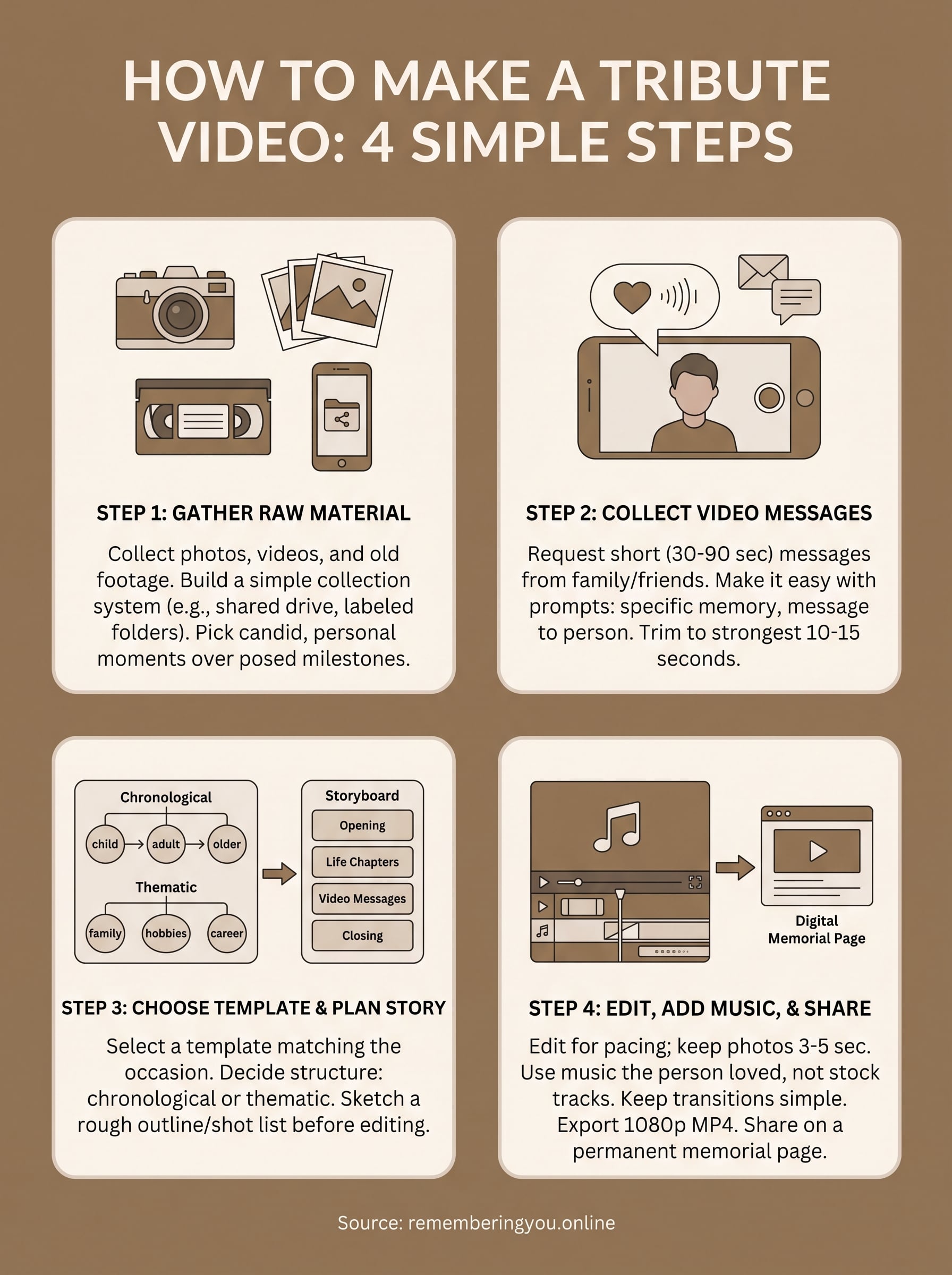
A lasting way to honor a life
A tribute video is never really about software or templates. It's about gathering scattered proof that someone mattered, the laugh, the voicemail, the shaky backyard footage, and putting it in one place before it gets lost. Follow the four steps here and you'll end up with something that plays cleanly at a service and still means something a decade from now.
But a finished video sitting on a hard drive doesn't do much good after the reception ends. Give it a permanent home where relatives across time zones can watch it, add their own photos, and leave a note in a guestbook whenever they need to. That's exactly what a dedicated memorial page is built for.
If you're ready to pair your video with a lasting tribute page, start building a free memorial at Remembering You and give the people you love a place that outlasts the day of the service.