6 Best Free Funeral Program Templates to Download and Print
Planning a funeral usually happens in a matter of days, and somewhere between choosing a casket and calling relatives, you still need a program for the service. If you're searching for funeral program free templates, you're probably short on time, short on budget, and not in the mood to fight with design software. That's a normal place to be, and there's a fast way through it.
This guide points you to six sources of free funeral program templates you can actually download, edit in Word, Canva, or Google Docs, and send to a printer or copy shop the same day. Each one covers the basics: order of service, photos, a short biography, and space for a favorite verse or poem, so you're not starting from a blank page.
We'll also cover what separates a usable template from one that looks great online but falls apart when printed, and how a printable memorial program compares to a lasting memorial page for a loved one you can share online. If you want family scattered across states or countries to see more than a folded paper program, a free digital tribute page rounds out what a printed program can't do.
1. Canva funeral program templates
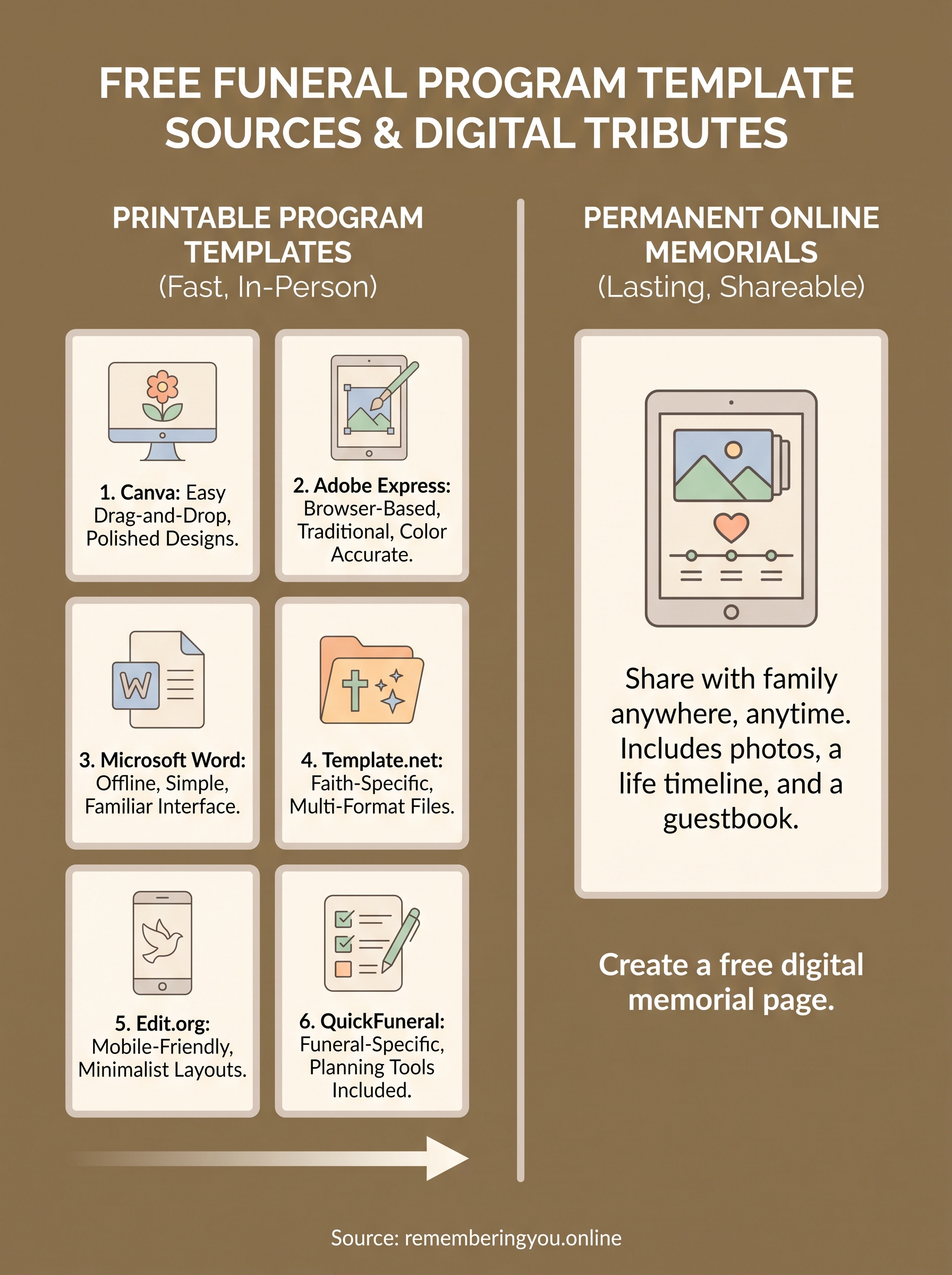
Canva sits at the top of this list because it's the tool most people already half-know how to use. Search "funeral program" inside Canva and you'll find dozens of free funeral program templates in bifold, trifold, and single-sheet layouts, ranging from simple black-and-white designs to ones with watercolor florals or a dove motif. Some premium designs sit behind a Canva Pro paywall, but a solid stack of free funeral program design templates is available on the free tier, which matters if you're working under a tight budget right after a loss.

Key features
Canva's drag-and-drop editor means you don't need design experience to swap photos, change fonts, or adjust the color scheme to match the deceased's favorite team, church, or season. Templates come pre-formatted for standard print sizes like 8.5x11 inches folded to a half-letter booklet, so you're not guessing at margins. You can also invite a family member to co-edit the same document in real time, which helps when siblings in different cities all want input on the wording.
A template only saves you time if you can finish it without learning new software, and Canva is built for exactly that.
How to customize and download
- Search "funeral program" or "memorial program" in Canva's template library.
- Pick a layout, then replace the placeholder photo, name, and dates with the real details.
- Edit the order of service, readings, and acknowledgments text boxes.
- Click Share, then Download, and choose PDF Print for the sharpest results at a copy shop.
Best for
Canva works best for families who want a polished, photo-forward funeral service program template fast and don't mind a bit of tweaking to get spacing right. It's less ideal if you need strict liturgical formatting for a Catholic Mass, where a plainer Word template may be safer, but for most services it's the quickest path from blank page to printed program in under an hour.
2. Adobe Express funeral program templates
Adobe Express gives you a browser-based alternative to Canva with a slightly more polished, magazine-style finish. Its library includes free funeral program templates in tri-fold and booklet formats, many built around soft color palettes and serif typography that read as more traditional than Canva's brighter options. Because it's backed by Adobe, you also get tighter color accuracy, which matters if you're printing on glossy stock at a shop that charges by the sheet.
Key features
Express includes a built-in photo background remover and auto-resize tool, so a phone snapshot of the deceased can be cleaned up and dropped into a template without extra apps. Fonts pair automatically by theme, which keeps a funeral program design template looking cohesive even if you're not a designer. Free accounts cover the core editing tools; only a few premium stock photo overlays sit behind a paid tier.
The right template should make a grieving family's job easier, not add another decision to make.
How to customize and download
- Open Adobe Express and search "funeral program" or "memorial service program."
- Choose a layout and swap in the name, dates, photo, and order of service.
- Adjust text size to keep long readings from overflowing the page.
- Download as a print-ready PDF at 300 DPI.
Best for
Adobe Express suits families who want a slightly more formal look than Canva offers, without opening Photoshop.
3. Microsoft Word funeral program templates
Microsoft Word remains the default choice for anyone who wants a free funeral service program template without signing up for a new account or learning a browser-based editor. Word's own template gallery, plus sites like Vertex42 and Office templates, offer downloadable printable free blank funeral program templates in .docx format, ready to fill in on a program most people already have installed. If you're working from a shared church computer or a funeral home's office PC, this is often the only option available.
Key features
Word templates favor traditional, text-heavy layouts: an obituary you can create online for free on one side, order of service and hymns on the other, with room for a scripture verse. Formatting is simple to lock down using Word's built-in styles, so headings stay consistent even after multiple family members edit the file. There's no watermark, no login wall, and no export limit.
The best template is the one you can open right now, on the computer you already have.
How to customize and download
- Search "funeral program template" in Word's File > New menu, or download a .docx from a trusted template site.
- Replace placeholder text with the name, dates, and service details.
- Insert a high-resolution photo and adjust margins for your printer.
- Save as PDF before sending to a copy shop.
Best for
Word suits families who want a funeral program free template with minimal fuss and no new software.
4. Template.net funeral program templates
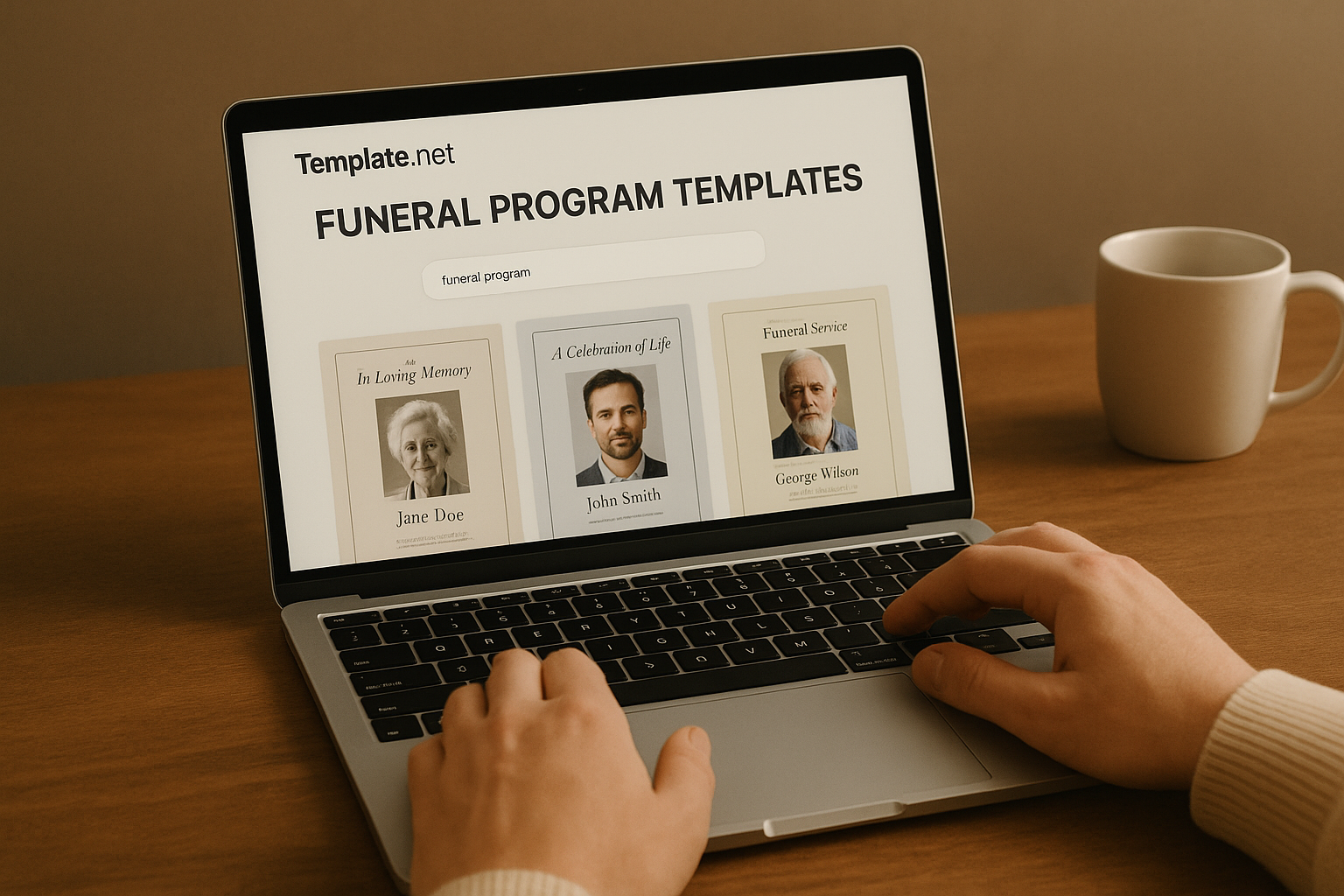
Template.net stacks hundreds of free funeral program templates into one searchable library, organized by religion, layout, and even paper size, which saves you from scrolling through Canva's mixed results. You'll find a free sample funeral program template for Catholic Mass cards, Baptist services, military honors, and secular celebrations of life, each formatted with the right prayers or readings already placed where they belong. Most designs download as editable Word, Publisher, or InDesign files, so you're not locked into one editor.
Key features
Each template for funeral program free download comes with a short guide noting the paper size, fold type, and recommended print settings, which cuts down on guesswork at the copy shop. Templates are grouped by faith tradition, so a Catholic family can filter straight to Mass-appropriate layouts instead of hunting through generic designs.
Filtering by faith and format before you start editing saves more time than any drag-and-drop tool.
How to customize and download
- Browse by category (religious, military, celebration of life) or search "funeral program."
- Download the format that matches software you already own.
- Fill in the text placeholders and swap the photo.
- Print a test page before running the full batch.
Best for
Families needing a free downloadable funeral program template matched to a specific faith tradition or military protocol will get more mileage here than from general design apps.
5. Edit.org funeral program templates
Edit.org rounds out the design-app options with a mobile-friendly editor built for people who'd rather finish a program on a phone in a hospital waiting room than sit at a laptop. Its library of free funeral program templates leans toward clean, minimalist layouts with soft pastels and simple crosses or doves, which suits a quick turnaround when you don't have hours to spend picking fonts. Registration is free, and most designs stay free to export as a PDF, with only a handful of premium layouts locked behind a paid plan.
Key features
Edit.org resizes every template automatically for A4 or US Letter, so you're not fighting margins if the funeral home's printer defaults to a different paper size than your home printer. Text boxes lock proportionally, keeping a funeral program design template legible even after you swap in a longer name or a second scripture verse.
A template that adjusts to your paper size beats one that just looks nice on screen.
How to customize and download
- Create a free account and search "funeral program" or "in memoriam."
- Select a layout and replace the name, dates, and photo.
- Adjust the order of service text to fit your church or celebrant's format.
- Export as PDF, checking the paper size matches your printer before downloading.
Best for
Edit.org fits families editing from a phone or tablet who still want a free funeral service program template that prints cleanly on the first try.
6. QuickFuneral program templates
QuickFuneral rounds out this list with a service built specifically around funerals, not general design work retrofitted for the occasion. Its funeral program download templates come paired with planning checklists and prompts for how to write a meaningful obituary, so you're not just filling in a layout but getting help wording the biography section too. Everything is free to use, with no watermark forced onto your printed copies.
Key features
Zion templates here are grouped by service type: traditional, celebration of life, military, and religious, each with matching prayer cards and bookmarks so your whole print set looks coordinated. Text sections come pre-labeled (obituary, order of service, acknowledgments, pallbearers), which helps when you're working fast and don't want to guess what goes where.
A coordinated set of program, prayer card, and bookmark saves a second trip to the copy shop.
How to customize and download
- Browse the funeral program category and pick a layout matching your service type.
- Fill in the name, dates, photo, and order of service fields.
- Add a matching prayer card or bookmark from the same design set if offered.
- Download the finished files as print-ready PDFs.
Best for
QuickFuneral suits anyone who wants a free funeral program template bundled with the obituary and prayer card in one matching set, cutting down on separate design work.
Choosing the right template for your tribute
Any of these six sources will get you a printable memorial program ready for the service, so pick based on how much time you have and what tools you already know. Grab Word or Template.net if you need something formatted for a specific faith tradition tonight, or lean on Canva or Adobe Express if a family member wants to co-edit the design together.
But a folded paper program only reaches the people in the pews that day. Cousins overseas, old coworkers, the grandkids who couldn't fly in on short notice, they all miss it. Pair your printed program with a free memorial page template that stays online permanently, complete with photos, a life timeline, and a guestbook anyone can sign from anywhere. Create a free digital memorial page in minutes at Remembering You, and give your loved one a tribute that outlasts the paper it was printed on.