
How to Make a Memorial Service Video Tribute
You have a week, maybe less, to put together something that captures a whole life before the service starts. A memorial service video tribute feels like one more task on a list that's already too long, especially when you're not sure what photos to pick or how long the thing should even run. That pressure is normal, and it's exactly why most families end up rushing a slideshow together the night before.
This guide walks you through the whole process, from gathering photos and video clips to choosing music, structuring the timeline, and picking software that won't eat your whole weekend. You'll get real funeral tribute video ideas, a workable length target, and a simple structure you can follow whether you're honoring a parent, a spouse, or a family pet.
We'll also cover tribute video templates you can adapt instead of starting from a blank screen, plus tools that make the editing part painless even if you've never touched video software. By the end, you'll know exactly how to build a tribute worth sharing at the service and afterward, including how to pair it with a lasting online memorial page family can revisit anytime.
What is a memorial tribute video and why make one
A memorial tribute video is a short film, usually five to eight minutes, that combines photos, video clips, music, and sometimes narration to tell the story of someone's life. It plays during the visitation, at the funeral or celebration of life, and afterward at family gatherings or on an online memorial page. Unlike a photo slideshow you might have seen at a wedding, a tribute video is built around a narrative arc: childhood, family, career, passions, and the people who loved them, which is really what a tribute video means compared to a simple picture reel. Done well, it gives mourners something to hold onto besides grief, a few minutes where the person feels present again.
Why families choose to make one
Grieving families often ask whether a video is worth the effort during an already exhausting week. In practice, a tribute video for funeral services does something a eulogy alone can't: it shows rather than tells. Seeing a grandfather laugh at his own joke or a mother dancing at a wedding reaches people who never met her the way words on a page never will.
A tribute video doesn't just show what someone looked like. It shows how they made people feel.
Families also use these videos beyond the service itself. Once uploaded to a memorial tribute video page, it becomes something relatives across the country, or the world, can watch whenever they need to feel close to that person again.
Where the video fits into the service
Most funeral homes will build the video into the program, either as guests arrive or during a quiet moment before the eulogy, so it helps to think it through while you're planning the service itself. Knowing where it fits helps you plan length and pacing before you touch any software.
| Placement | Typical length | Purpose |
|---|---|---|
| Visitation, playing on loop | 8-15 minutes | Gives arriving guests something to watch quietly |
| During the service | 4-6 minutes | Focused narrative, played once as a centerpiece |
| Celebration of life reception | 10-20 minutes | Longer format, more photos and stories |
| Shared online afterward | Any length | Lives permanently on a memorial page for family to revisit |
A funeral video tribute built for the service itself should stay tight. A longer version, with more footage and extra stories, can live online where nobody's watching the clock.
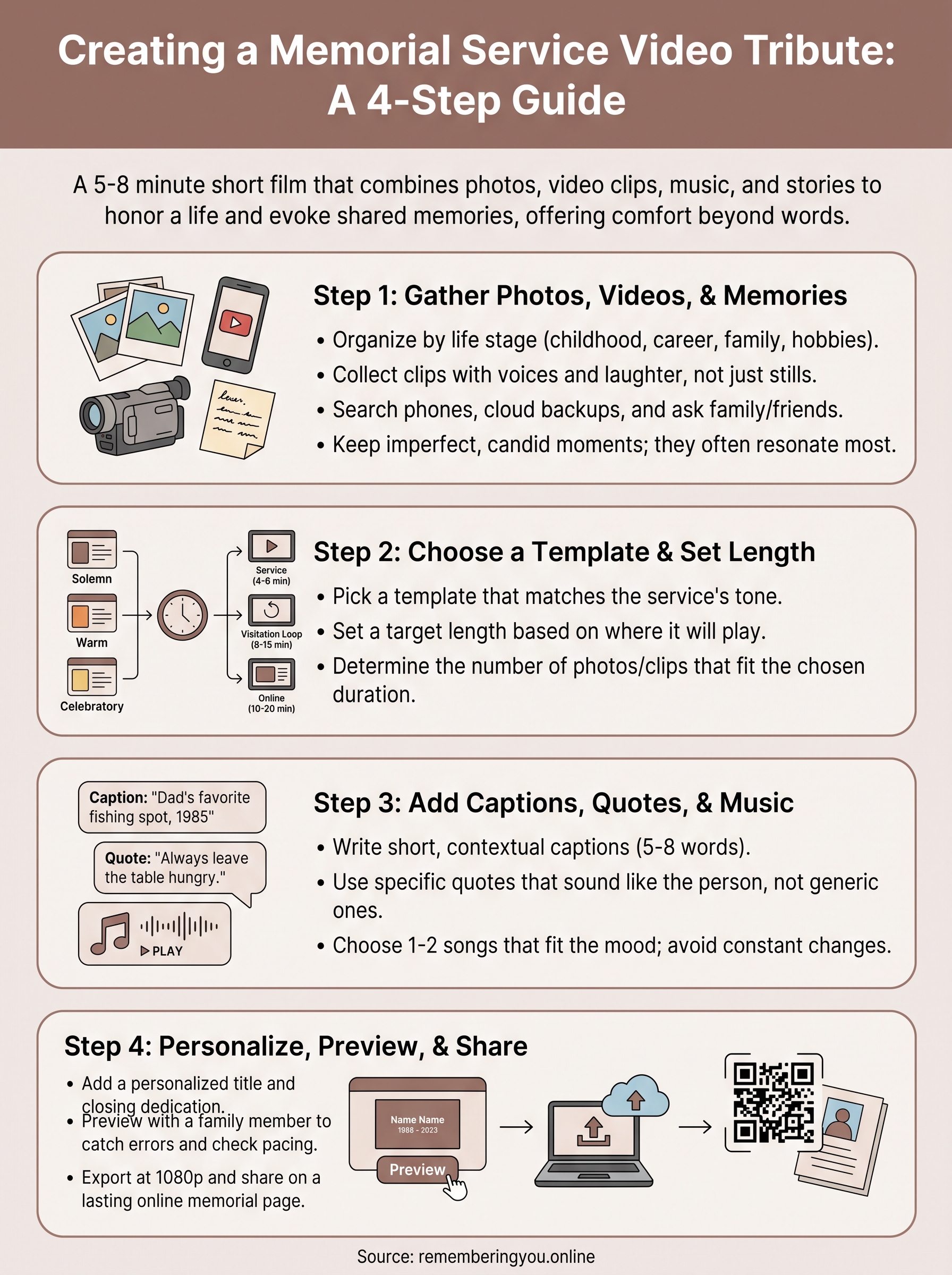
Step 1. Gather photos, videos, and memories
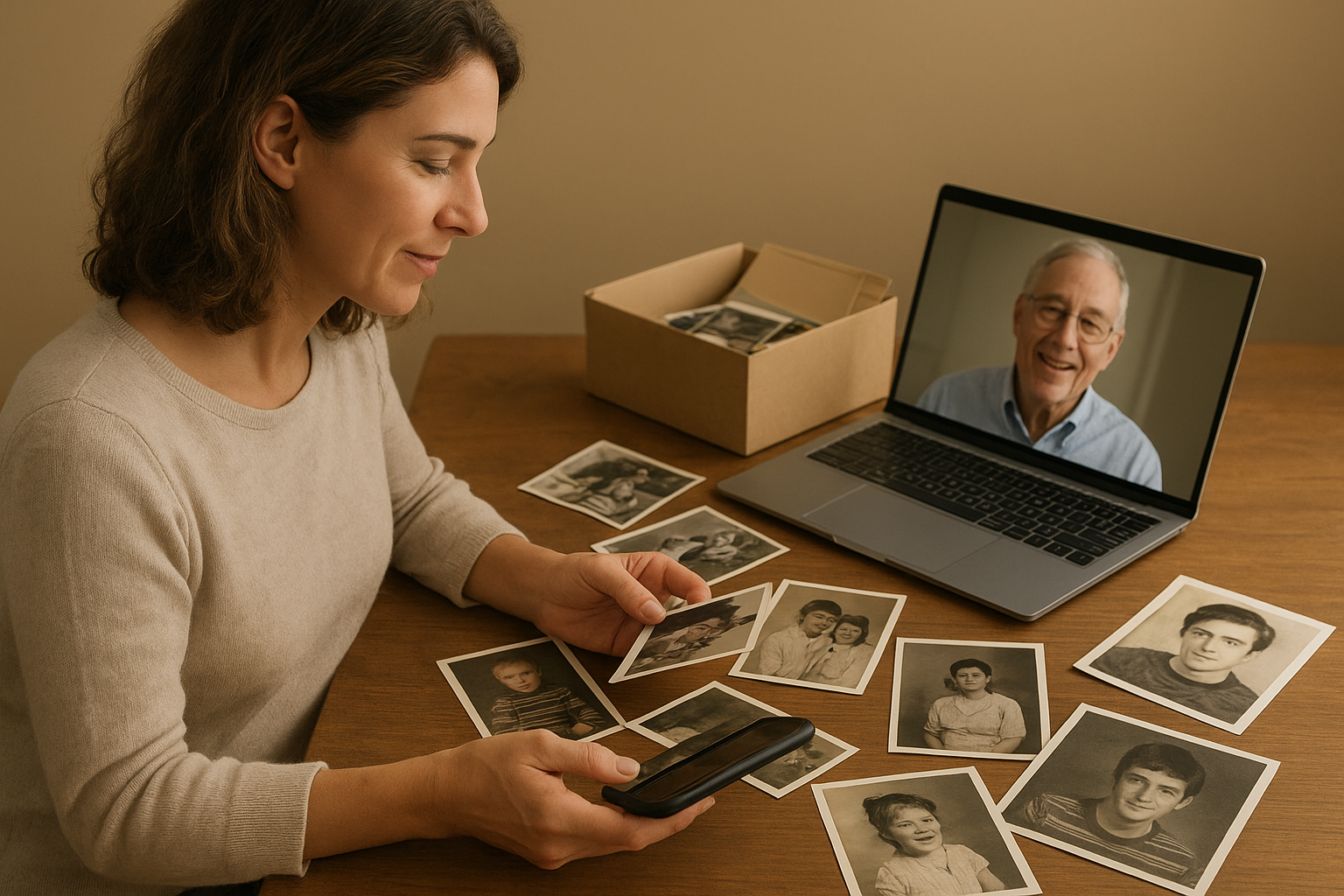
Before you open any editing app, spend an evening collecting raw material. A strong memorial tribute video needs more than a folder of phone pictures; it needs a mix of eras and moods that together sketch a full life, not just the last few years, and browsing photo tribute ideas can help you see what's missing. Ask siblings, cousins, and close friends to send their favorites too. People often hold onto photos nobody else has seen, and a group text asking for "any photo or short clip you love of them" usually turns up gold within a day.
Build a shot list by life stage
Organizing by decade or milestone, the same way you'd lay out a chronological life timeline, keeps you from ending up with fifty photos from one birthday and none from childhood. Try sorting into these buckets before you start selecting favorites:
- Childhood and family of origin
- School years, first jobs, military service
- Wedding, kids, grandkids
- Hobbies, travel, faith community
- Recent years, including candid everyday moments
Collect voices, not just images
Video clips matter as much as stills. Old home movies, a voicemail, a birthday toast someone filmed on their phone, these clips carry a voice and a laugh that photos can't. Search everyone's phones and cloud backups, not just the obvious family photo albums.
The best tribute videos feel like the person is still talking to you, not just posing for you.
Hold onto everything you gather in one shared folder, even the blurry or slightly awkward shots. When you build your sample memorial tribute video timeline later, those imperfect, candid moments often land harder than the posed ones. Label files loosely by year now; it saves real time once you're arranging the timeline in Step 2.
Step 2. Choose a template and set the video length
Once you've gathered your photos and clips, resist the urge to start dragging files into a blank timeline. A good funeral tribute video template gives you a proven structure, opening title, chronological body, closing dedication, so you're filling in blanks instead of solving design problems from scratch. Most memorial tribute video maker tools, including the one built into Remembering You, offer several templates sorted by tone: solemn and traditional, warm and celebratory, or simple and minimal for smaller gatherings.
Pick a template that matches the tone
Think about the personality of the service before you choose. A military veteran's tribute might call for a formal template with muted transitions, while a grandmother who loved gardening and karaoke deserves something brighter. If you're wondering how to make a tribute video faster, let the template's built-in photo slots guide how many images you actually need per section, which keeps you from overloading any single chapter of the story.
Match length to where it'll play
A tribute video should feel complete, not endless. Cut for impact, not to include everyone.
Decide length before you start placing photos, since it changes how many images each section can hold:
- Service screening: 4-6 minutes, roughly 60-80 photos and a few short clips
- Visitation loop: 8-15 minutes, more forgiving of repeats and slower pacing
- Online version: 10-20 minutes, room for extended clips and extra stories
Set your target length in the editor first. It'll keep every later decision, from music to captions, working toward the same runtime instead of ballooning past it.
Step 3. Add captions, quotes, and background music
Now that your timeline holds its shape, it's time to add the words and sound that turn a photo sequence into an actual memorial service video tribute. Captions do more work than people expect. A simple line under a photo, a name, a year, a location, gives context to viewers who never met that side of the family. Keep captions short: five to eight words, never a full paragraph, since anything longer competes with the photo instead of supporting it.
Choose quotes that sound like them
Quotes work best when they're specific, not generic. Skip the stock inspirational lines and pull from things the person actually said. If you're stuck for funeral tribute video ideas, ask family members for a favorite saying, a joke they repeated, or a piece of advice they gave often.
Example caption sequence:
1. "Every Sunday, no matter the weather."
2. "Dad's rule: never leave the table hungry."
3. "She said yes before he finished asking."
The right quote doesn't summarize a life. It sounds exactly like the person who lived it.
Pick music that fits the mood, not just the moment
Music sets pacing more than any other element. Choose one or two songs rather than a shifting playlist, since constant changes pull attention away from the photos. Many memorial tribute video templates include royalty-free tracks sorted by mood, solemn piano, warm acoustic guitar, gentle strings, so you don't risk copyright issues playing at a public service. If the person had a favorite song, use it once, ideally during the closing section, rather than looping it throughout.
Step 4. Personalize, preview, and share your video
With photos, captions, and music locked in, the last stretch is about personalizing your tribute so it feels specific to the person you're honoring, not like a template with their name dropped in. Add a title card with their full name and years lived, and close with a dedication line, something like "In loving memory" or a phrase the family already uses. These small touches turn a video tribute funeral guests will forget by next week into one they'll want to rewatch every anniversary.
Preview with someone who knew them well
Before you export anything, watch the full video with at least one other family member. A second set of eyes catches typos in captions, awkward transitions, or a photo that got duplicated by accident. Ask them a simple question: does this feel like the person we're remembering? If the answer is hesitant, that's usually a pacing problem, not a content problem, so trim rather than add.
A tribute video succeeds when the family watching it forgets, for a few minutes, that they're watching a video at all.
Export, screen, and keep it accessible afterward
Export at 1080p for both the service screening and any digital sharing, since funeral home projectors and phone screens both handle that resolution well. Once it's approved, don't let the file disappear onto one laptop. Upload the finished funeral video tribute to a dedicated memorial page, where relatives who couldn't attend can watch it alongside photos and the guestbook, and where a QR code on the printed program or headstone can lead people straight back to it for years.
Creating a lasting tribute
A good memorial service video tribute doesn't need fancy software or a film degree, just the photos you already have, a template that fits the mood, and enough time to watch it once with someone who loved them too. Follow the four steps here and you'll end up with something that plays well at the service and still means something a year later, not a rushed slideshow nobody wants to rewatch.
Once the video is finished, give it a permanent home instead of letting it sit on one laptop. Relatives who missed the service, and the ones who attended and want to watch it again next anniversary, deserve easy access without asking someone to dig up an old file. Create a free memorial tribute page for your video, photos, and guestbook, add a QR code to the program or headstone, and the story stays reachable for as long as anyone wants to find it.