
How to Add a QR Code Video to a Headstone
You want more than a name and two dates carved in stone, and comparing a digital memorial with a traditional headstone shows why. You want anyone standing at that grave to see your loved one's face move, hear their voice, or watch the video from their memorial service. A headstone qr code video makes that possible: a small metal or granite plaque with a scannable code that opens a video the moment someone points their phone at it.
Here's the direct answer: you create a digital memorial page with your video and photos uploaded, generate a QR code linked to that page, then have the code engraved or attached to the headstone. No app required. Any smartphone camera reads it in seconds, which matters when visitors range from teenagers to grandparents.
This guide walks through the whole process, from choosing what video content to include, to picking a durable QR plaque that survives weather, to setting up the tribute page itself so the link never breaks. We'll also cover placement options beyond the headstone, like memorial cards and photo frames, so family members scattered across different states or countries can visit the same tribute without traveling to the cemetery.
What you need before adding a QR code to a headstone
Before you order any plaque, gather four things: cemetery permission, a video file worth sharing, a page to host it, and a QR code that points to that page. Skipping any one of these leads to wasted money, either a plaque that never gets installed or a code that scans to nothing. Treat this list as your pre-flight checklist rather than a suggestion.
Check cemetery and headstone rules first
Call the cemetery office before you buy anything. Some cemeteries restrict what can be attached to a headstone, especially older sections with historic preservation rules or family plots governed by a homeowners-style association. Ask three specific questions: can you add a physical plaque, does it need to be a certain size or material, and is drilling into the stone allowed or do you need an adhesive mount instead. Cemetery permission varies widely, and getting a verbal yes from a groundskeeper isn't the same as written approval from the office that manages the plot long term.
Get the cemetery's written sign-off before you spend a dollar on hardware.
Decide where the QR code lives
A headstone QR code doesn't have to sit only on the granite. Families increasingly place the same code on a laminated memorial card handed out at the service, a photo frame at home, or a small plaque near a pet's grave, much like the QR plaque and photo frame tribute displays families set up indoors. Deciding placement upfront affects the size and material you order, since a wallet card needs a different print resolution than a bronze plaque bolted to stone.
Build your materials checklist
Here's what to have ready before you start the actual setup:
| Item | Why you need it | Where it comes from |
|---|---|---|
| Cemetery approval | Avoids wasted plaque purchase | Cemetery office, in writing |
| Video file(s) | Content the QR code will open | Phone, camera, old home videos |
| Photos and short bio | Fills out the tribute page | Family albums, obituary text |
| Hosting page | Where the video actually lives | A memorial site like Remembering You |
| QR code generator | Turns the page link into a scannable code | Free tools built into most memorial platforms |
| Weatherproof plaque or sticker | Physical anchor for the code on stone | QR code plaque suppliers, engravers |
Confirm you have a stable link before ordering hardware
Once you engrave a QR code into metal or granite, changing the destination link is expensive or impossible. That's why the memorial page you build needs a permanent URL you control, not a temporary link from a social media post or a video hosting account that could get deleted. Set up the page first, confirm it loads correctly on a phone, then move to ordering the physical plaque. Rushing this order backward is the single most common mistake families make, and it's the one that turns a thoughtful tribute into a dead link at the cemetery gate.
Step 1. Gather or record the memorial video
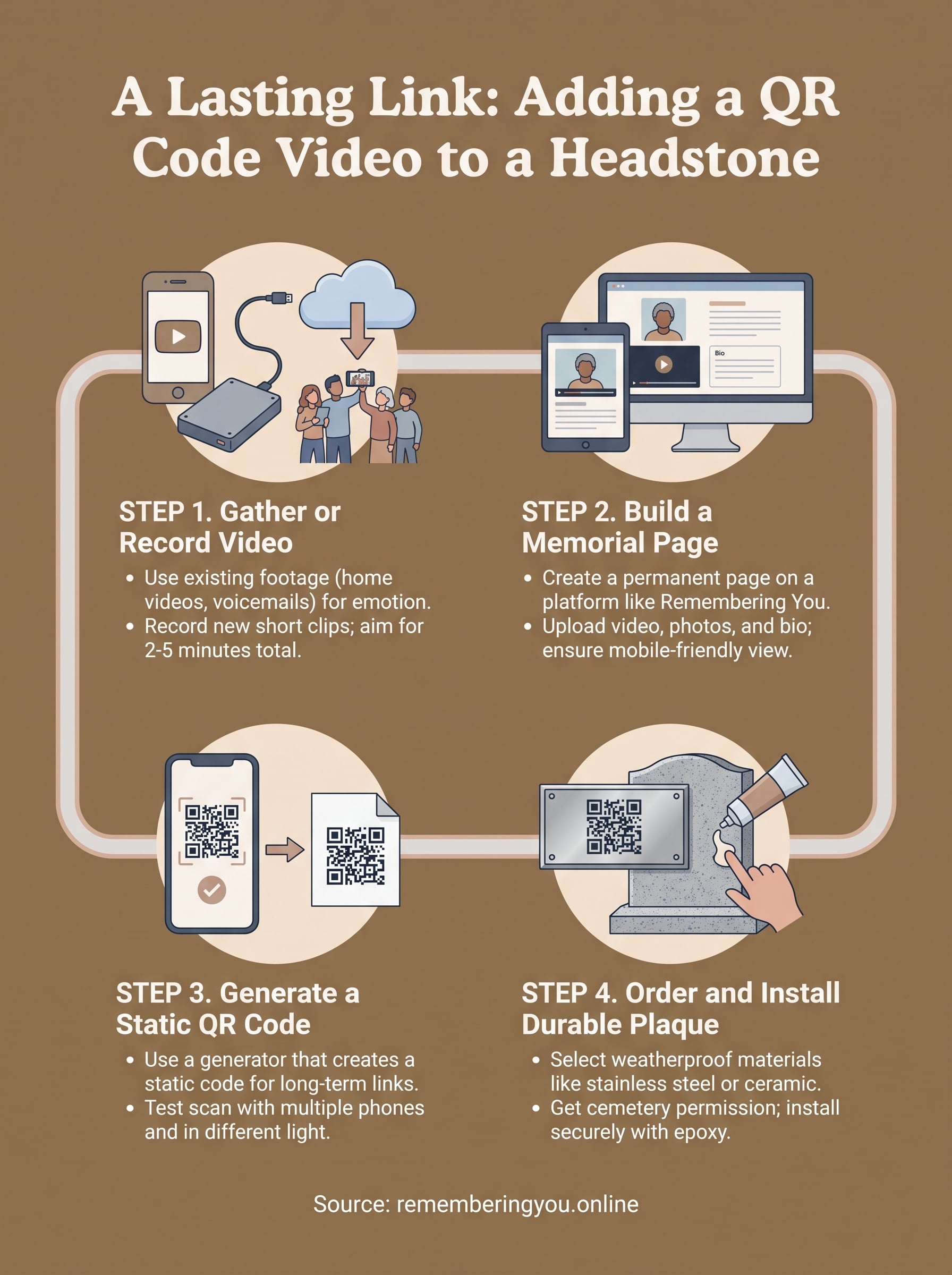
Start by pulling every video clip you already have. Old phone footage, birthday party recordings, voicemails with their voice, even shaky home movies from decades ago all count. Existing footage often carries more emotional weight than anything staged, because it captures your loved one being themselves rather than performing for a camera. Check family group chats, cloud backups, and old external hard drives before you assume nothing exists.
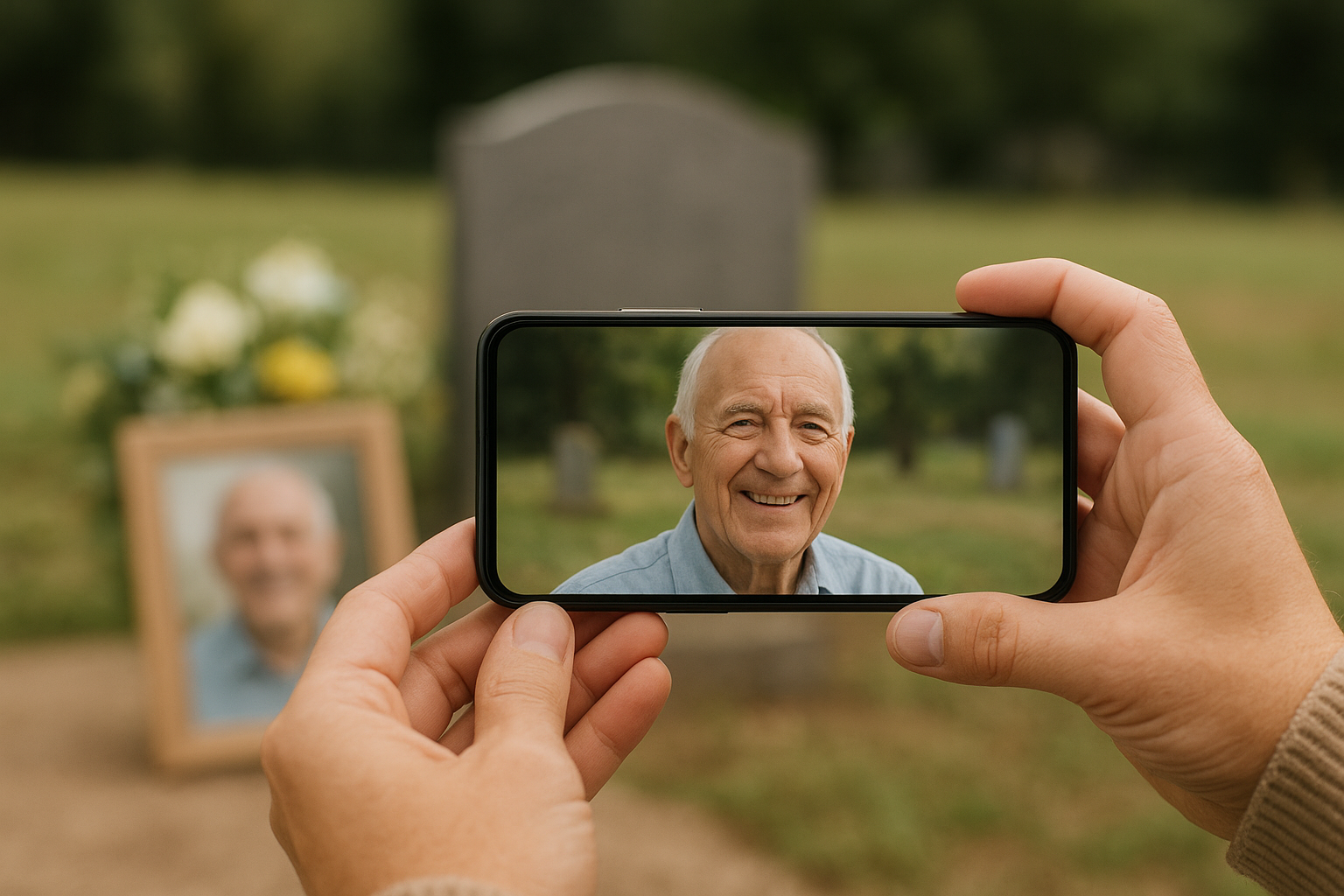
If you don't have footage, or want something more focused, record a new tribute video. Ask three or four family members to film 60-second clips on their phones sharing a specific memory, then stitch them together with a free tribute video maker like CapCut or the built-in editor on your phone. A video tribute doesn't need professional polish, and a step-by-step walkthrough of making one keeps it simple. Cemetery visitors care about hearing a real voice and seeing a real smile, not slow-motion transitions.
A shaky home video of them laughing beats a polished slideshow every time.
Keep these practical points in mind while gathering clips:
- Length matters for mobile viewing. Aim for 2 to 5 minutes total. Visitors standing at a grave won't watch a 40-minute compilation.
- File format should be widely compatible. Export as MP4, which plays on virtually every phone without extra apps.
- Audio quality counts more than video quality. A grainy clip with clear audio of their voice beats a crisp clip with muffled sound.
- Include the funeral or service video if you have it. Many families forget the recorded service itself is often the most requested video later.
- Compress large files before uploading. Free tools like HandBrake shrink file size without losing much quality, which speeds up loading at the cemetery where cell signal can be weak.
Once you've gathered or recorded the footage, save it somewhere accessible on your computer or phone. You'll upload it directly to the memorial page in the next step.
Step 2. Build a memorial page to host the video
Now that you have footage saved, you need a permanent home for it online. A memorial page works like a digital obituary that never expires, giving family members a single link to revisit whenever they want instead of digging through old text messages for a video someone shared once. Platforms built specifically for this purpose, like Remembering You, let you create a free account with no credit card required, then upload video, photos, and a written biography in one place.
Setting up a beautiful memorial page takes less time than most people expect. Sign up, name the tribute after your loved one, then work through these steps:
- Upload the video file you gathered in Step 1, along with a handful of photos that show different stages of their life.
- Write a short biography covering where they grew up, what they loved, and who they leave behind.
- Add a life story timeline if the platform supports it, marking milestones like marriages, career moves, or the birth of grandchildren.
- Enable the guestbook for memories and condolences so visitors can leave messages even after the funeral is over.
- Set privacy controls, choosing public access or a password if the family wants the page restricted to people who knew them.
The page you build today is the one link every future visitor will trust, so build it once and build it right.
Once uploaded, preview the page on your own phone exactly the way a cemetery visitor would see it. Check that the video loads without buffering forever and that photos aren't cropped awkwardly on a small screen. A tribute page that looks great on a desktop monitor can look cluttered on mobile, and mobile is how nearly everyone will scan the code standing at the grave. Confirm everything renders cleanly before you move on to generating the QR code itself.
Step 3. Generate a QR code linked to the page
With the memorial page live and tested on mobile, copy its exact URL from the address bar rather than retyping it from memory. A single typo in a QR code link sends visitors to a dead page or someone else's site, and you won't find out until the plaque is already bolted to granite. Paste the URL into a plain text file first so you can double-check it before generating anything.
Pick a QR generator built for long-term use
Most memorial platforms, including Remembering You, create the memorial code for you once your page is set up, which removes a step and guarantees the code always matches the page it was built from. If you're using a separate free QR generator instead, choose one that creates a static QR code, meaning the destination is baked directly into the code's pattern rather than routed through a shortened link that could expire if the generator's service shuts down years from now. Avoid free generators that require a subscription to keep the code active; a cemetery QR code needs to work in 2035, not just this year.
A QR code is only as permanent as the link and service behind it, so choose both for the long haul.
Test the code before you print or engrave anything
Print the generated code on regular paper first. Then run through this checklist:
- Scan it with three different phones, ideally an iPhone, an Android, and one older model, since camera apps interpret codes differently.
- Scan it from a few feet away, mimicking how someone would point their phone at a headstone rather than holding it inches from the code.
- Confirm the video plays without buffering, especially over cellular data rather than home wifi, since cemeteries rarely have strong signal.
Once it passes all three tests, you're ready to move the code onto something permanent.
Step 4. Order and install a durable QR plaque
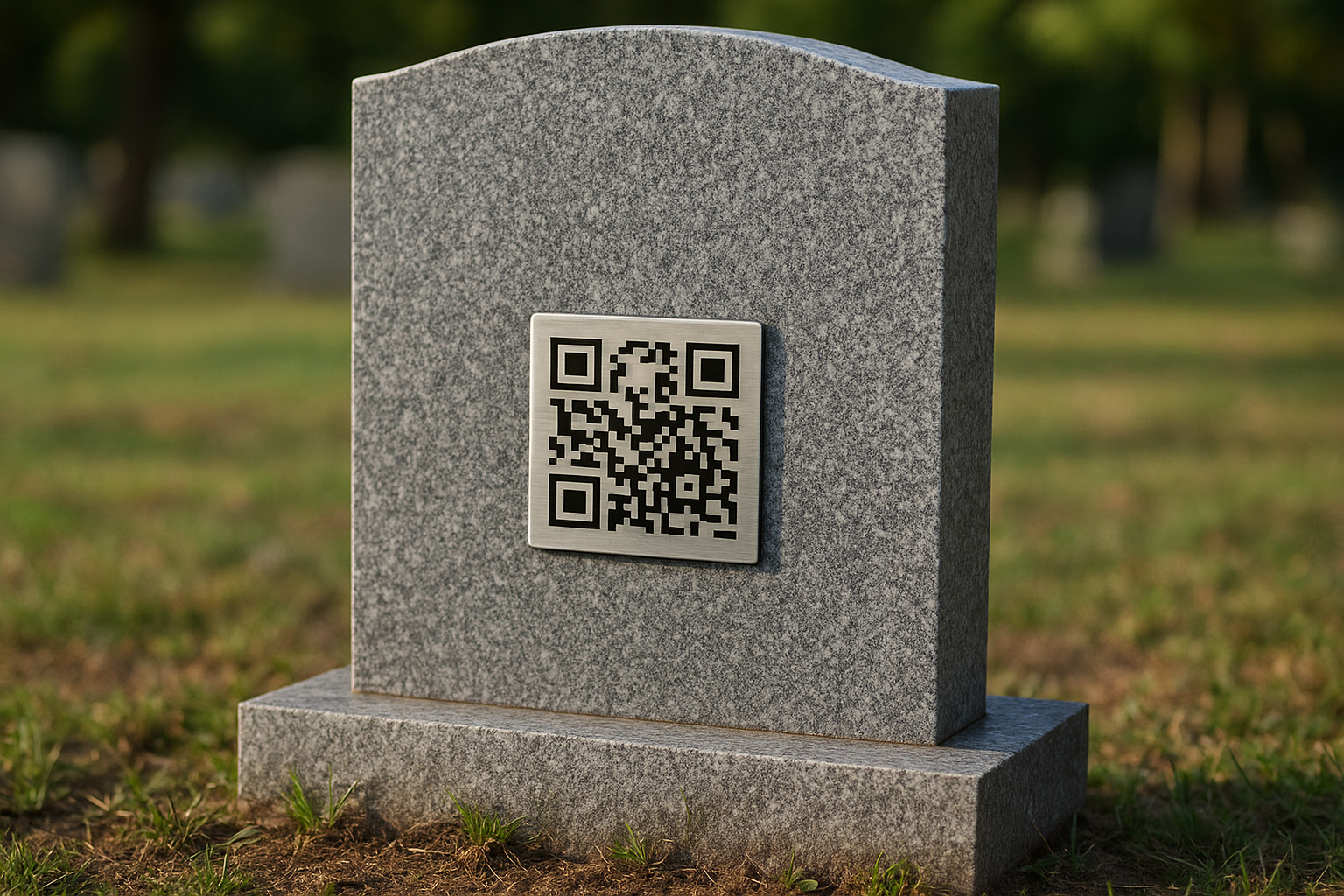
Once your code passes every scan test, order a plaque built for outdoor exposure, not a printed sticker meant for indoor use. A QR plaque needs to survive freezing winters, direct sun, and years of rain without the code fading into an unreadable smear. Suppliers who specialize in memorial hardware sell stainless steel, brass, or ceramic plaques with UV-resistant printing baked in, and most ship within a week or two once you upload your final QR image.
Choose a material that matches the headstone
Granite headstones usually pair best with metal plaques attached using marine-grade epoxy or small anchor screws, while flat bronze markers sometimes need a recessed plaque so it sits flush instead of catching a lawnmower blade.
| Material | Typical lifespan | Best for |
|---|---|---|
| Stainless steel | 20+ years | Upright granite headstones |
| Ceramic tile | 15-20 years | Colored or photo-printed codes |
| Brass | 25+ years | Traditional bronze grave markers |
| Laminated card | 1-2 years | Temporary use before the permanent plaque arrives |
Install it correctly the first time
Ask the cemetery whether you or their staff should handle attachment, since some grounds crews require you to use their approved installer for insurance reasons. If you're installing it yourself, clean the stone surface first, apply epoxy evenly, and press the plaque firmly for the full cure time listed on the adhesive, usually 24 to 48 hours.
A plaque installed crooked or loose today becomes a repair trip six months from now.
Before you leave the cemetery, scan the finished QR code plaque on the gravestone one more time with your phone to confirm it still opens the video correctly once it's actually mounted on stone.
A lasting way to keep their story close
A headstone QR code video turns a quiet grave visit into something closer to a conversation. Anyone who stops by, whether it's a grandchild who never met them or an old friend passing through town, gets to hear their voice and see their face instead of reading two dates carved in stone. That small scan bridges decades in seconds.
Getting there just takes the steps you now have: gather the footage, build a page that won't disappear, generate a code tied to a permanent link, then mount hardware that survives the weather. Skip a step and you risk a plaque that scans to nothing years from now.
Start with the page, since everything else depends on it. Start a digital memorial tribute page on Remembering You today, upload the video, and give every future visitor a link worth scanning.