
7 Best Funeral Program Templates to Download and Customize
Planning a funeral service on a tight deadline leaves little room to design a program from scratch. You need something that looks polished, prints cleanly, and can be edited in an hour, not a week. That's exactly why so many people search for program templates for funeral services instead of building a layout in a program they barely know how to use.
This list solves that problem directly. Below you'll find seven funeral programs you can download and print for free in Word, Canva, or PDF format, then customize with your loved one's name, photo, order of service, and favorite scripture or poem. Each one is free or low cost, editable without design skills, and ready to print at home or hand off to a copy shop.
We cover single-fold, bi-fold, and trifold layouts, plus funeral program examples suited for Catholic funeral masses, military honors, and simple graveside services. If you're building a memorial page alongside the printed program, we'll also point out how a funeral memorial program template can pair with a digital tribute, so family members who can't attend in person still get the full story of a life well lived.
1. Remembering You digital memorial page
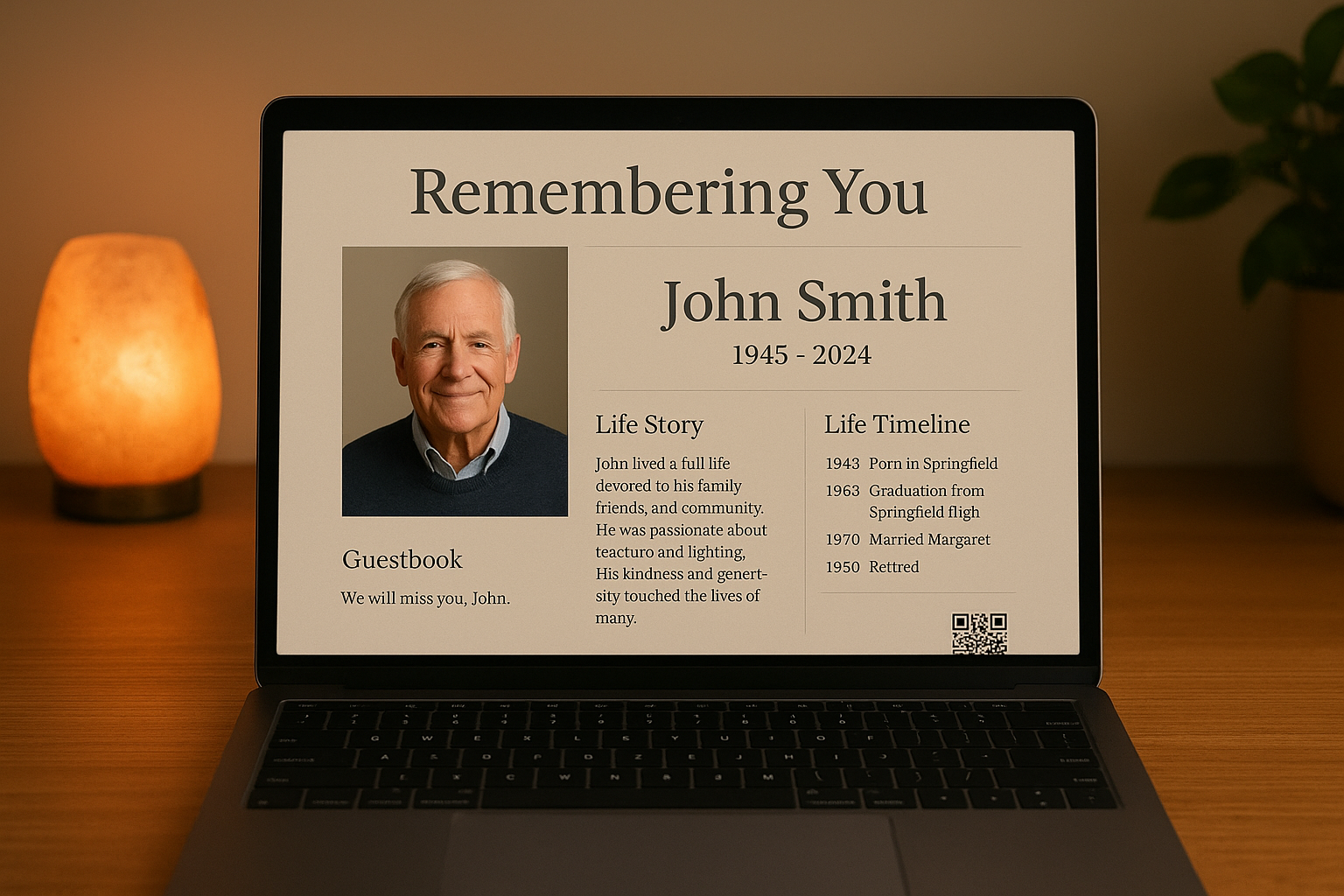
Rather than stopping at a paper program, Remembering You lets you build a permanent online tribute that lives long after the funeral service ends. It's a free digital memorial page you can create in under an hour, and it pairs naturally with any of the printed funeral program templates below since you can drop the same photos, biography, and order of service into both. Families scattered across states or countries finally get one shared place to grieve together instead of relying on a folded piece of paper that only reaches the people in the pews.
What it offers
Each memorial page includes a customizable tribute layout with photos, video, and a written life story, plus a life timeline that documents milestones like graduations, weddings, and career moments. A shared guestbook lets extended family and friends leave memories and condolences whenever they log on, and you get a QR code for the memorial automatically, ready to engrave on a headstone, print on a bookmark, or slip inside a card. Catholic and Christian families also get access to a prayer intentions board, virtual candles, and flower tributes built specifically for communal remembrance.
How to customize it
Setup takes four straightforward steps:
- Create a free account, no credit card required.
- Upload photos and videos, then write or paste in the biography.
- Add timeline entries for major life events in chronological order.
- Set the page to public or password-protected, then share the link or QR code with family.
A printed program tells the story once at the service; a digital memorial keeps telling it for years.
Who it's best for
This option suits families who want more than a one-time keepsake, particularly those spread across cities or continents who can't all attend the same service. It's also a strong fit for anyone planning a funeral home program template alongside a lasting online presence, genealogists preserving family history, and pet owners who want a tribute page for a companion animal.
Pricing
Account creation and the core memorial page are completely free, with no monthly fees ever attached. A one-time lifetime upgrade of $24.99 unlocks every feature permanently, including unlimited photos, video uploads, and QR code customization, so what the digital memorial costs never turns into a recurring bill after the funeral expenses are settled.
2. Canva funeral program templates
Canva hosts one of the largest libraries of funeral program templates online, with hundreds of free and premium designs ranging from minimalist single-fold layouts to ornate trifold designs with floral borders. You'll find options built for specific themes, military honors, celebration-of-life services, and Catholic funeral masses complete with pre-formatted spots for hymns and readings. Search "funeral program" inside Canva and filter by format (bi-fold, trifold, or single page) to narrow things down fast.
What it offers
Every template comes as an editable design in Canva's browser-based editor, so there's no software to install and no design experience required. Templates include placeholder text for the order of service, obituary, and acknowledgments, plus image slots sized correctly for portrait photos.
How to customize it
Swap the placeholder photo for your loved one's portrait, then click each text box to replace the sample copy with the actual name, dates, and service details. Canva auto-saves changes, and you can invite a family member to edit the same design remotely if they're helping from another state.
A template only saves time if you can edit it without a tutorial, and Canva clears that bar for almost anyone.
Who it's best for
Canva suits families comfortable working on a laptop or tablet who want more design variety than a basic Word document offers, especially those planning a template for a funeral program with photo collages or custom color schemes.
Pricing
Most funeral program templates are free with a Canva account. Some premium designs require a Canva Pro subscription, which runs about $120 per year if you need ongoing access beyond a single print job.
3. Microsoft Word funeral program templates
Microsoft Word remains the default choice for anyone who wants a funeral service program template they can edit offline without learning new software. Word's built-in template gallery and free sites like Vertex42 offer dozens of layouts, from a simple single-fold order of service to a full four-page booklet with room for an obituary, photos, and acknowledgments.
What it offers
You'll find pre-built placeholders for the deceased's name, service date, officiant, hymns, and pallbearers, already formatted with print-ready margins and fold lines. Most designs come in .docx format, so they open directly in Word or Google Docs without conversion.
How to customize it
Download the file, then replace each placeholder directly in Word:
- Click the name and date fields and type the correct details.
- Insert a portrait photo by right-clicking the image placeholder and choosing Change Picture.
- Adjust the order of service list to match the actual program.
- Print a test page before running the full batch to check margins and fold alignment.
If you already know Word, a template of a funeral program in .docx format is often the fastest path from blank page to printed booklet.
Who it's best for
Word templates suit families and funeral home staff who need a format for funeral program they can edit on a work computer without installing new apps, and anyone who prefers printing directly from a familiar program rather than exporting from a browser tool.
Pricing
Most Word funeral templates are free to download from template libraries and third-party sites. You'll need an active Microsoft 365 subscription, starting around $70 per year, if you don't already own a licensed copy of Word.
4. Adobe Express funeral program templates
Adobe Express gives you a free, browser-based alternative to Canva with a smaller but polished library of funeral program templates. You'll find bi-fold and trifold layouts built around Adobe's typography and photo-editing tools, which matter if you're working with an old, low-resolution photo of your loved one that needs sharpening or color correction before printing.
What it offers
Each template includes pre-set text frames for the obituary you'll need to write, order of service, and acknowledgments, along with photo placeholders already cropped to standard portrait dimensions. Adobe Express also bundles basic photo-editing tools directly into the editor, so you can adjust exposure or remove a background without switching to a separate app.
How to customize it
Open a template, then replace the sample name, dates, and service details in each text box. Drag the loved one's photo into the image frame, use the built-in cropping tool to center the face, and adjust brightness if the original photo is dim or yellowed with age.
A funeral home program template is only as good as the photo inside it, and Adobe Express is one of the few free tools built to fix a bad scan before it goes to print.
Who it's best for
This option suits anyone starting from an old or poor-quality photograph who needs editing tools bundled with the layout tool itself, rather than a separate photo editor.
Pricing
Most templates and core editing features are free with an Adobe account. Adobe Express Premium, which unlocks extra fonts, templates, and stock photos, runs about $9.99 per month if you need it.
5. FuneralTemplates.com editable Word and Canva sets
FuneralTemplates.com specializes exclusively in funeral program templates, unlike Canva or Word, which split their libraries across thousands of unrelated design categories. Every template on the site ships in both Word and Canva formats, so you pick whichever tool you're already comfortable with instead of learning a new one under deadline pressure. The niche focus means you won't wade through birthday invitations or business cards to find what you need.
What it offers
The catalog leans heavily on themed designs, floral, religious, military, and rustic layouts, organized by fold style so you can filter by single-fold, bi-fold, or trifold funeral service program templates before downloading anything. Each set includes matching prayer cards and bookmarks, useful if you want a coordinated look across every printed piece at the service.
How to customize it
Download your chosen format, open it in Word or Canva, then replace the placeholder name, dates, and photo exactly as you would with any editable template. Some designs bundle an instructional PDF walking through font swaps and print settings, handy if you've never formatted a booklet fold before.
A niche template library saves searching time precisely because someone already narrowed the options for you.
Who it's best for
This site suits anyone who wants a coordinated funeral home program template paired with matching stationery, without piecing together separate designs from different sources.
Pricing
Individual templates typically cost $5 to $15 each, with bundle discounts for multi-item stationery sets.
6. FuneralPrints.com professionally printed programs
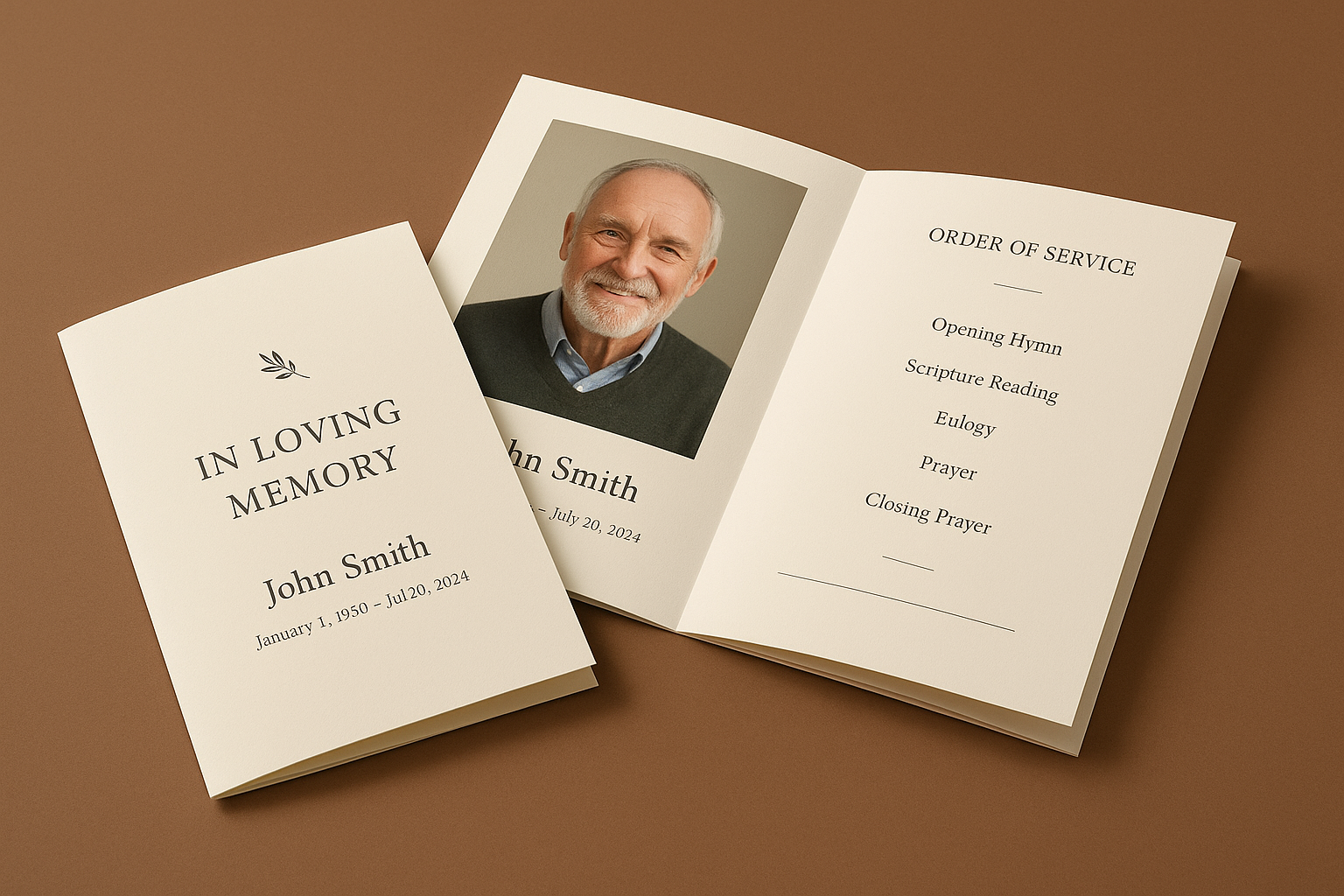
FuneralPrints.com skips the download-and-print-yourself model entirely and instead ships finished, professionally printed programs to your door. You upload your details through their online design tool, choose a layout, and their print shop handles the cardstock, folding, and trimming, so you never touch a home printer or worry about a paper jam the morning of the service.
What it offers
Their catalog includes dozens of funeral service program template designs across bi-fold and trifold formats, each preview-ready before you commit to an order. Premium cardstock, matte or glossy finishes, and pre-scored fold lines come standard, giving you a booklet that looks like it came from a stationery boutique rather than a home inkjet.
How to customize it
Pick a design, then fill in the name, dates, and order of service through their guided online editor. Upload a photo, preview the final layout on screen, and approve a digital proof before anything goes to press.
Sometimes the best template is the one you never have to print yourself.
Who it's best for
Families pressed for time or lacking a reliable home printer benefit most here, especially those planning a large service where a hundred neatly finished booklets matter more than saving a few dollars on paper.
Pricing
Pricing runs by quantity, typically starting around $1 to $2 per printed booklet, with bulk discounts for orders over 100 copies plus separate shipping charges based on turnaround speed.
Putting together a program that honors their memory
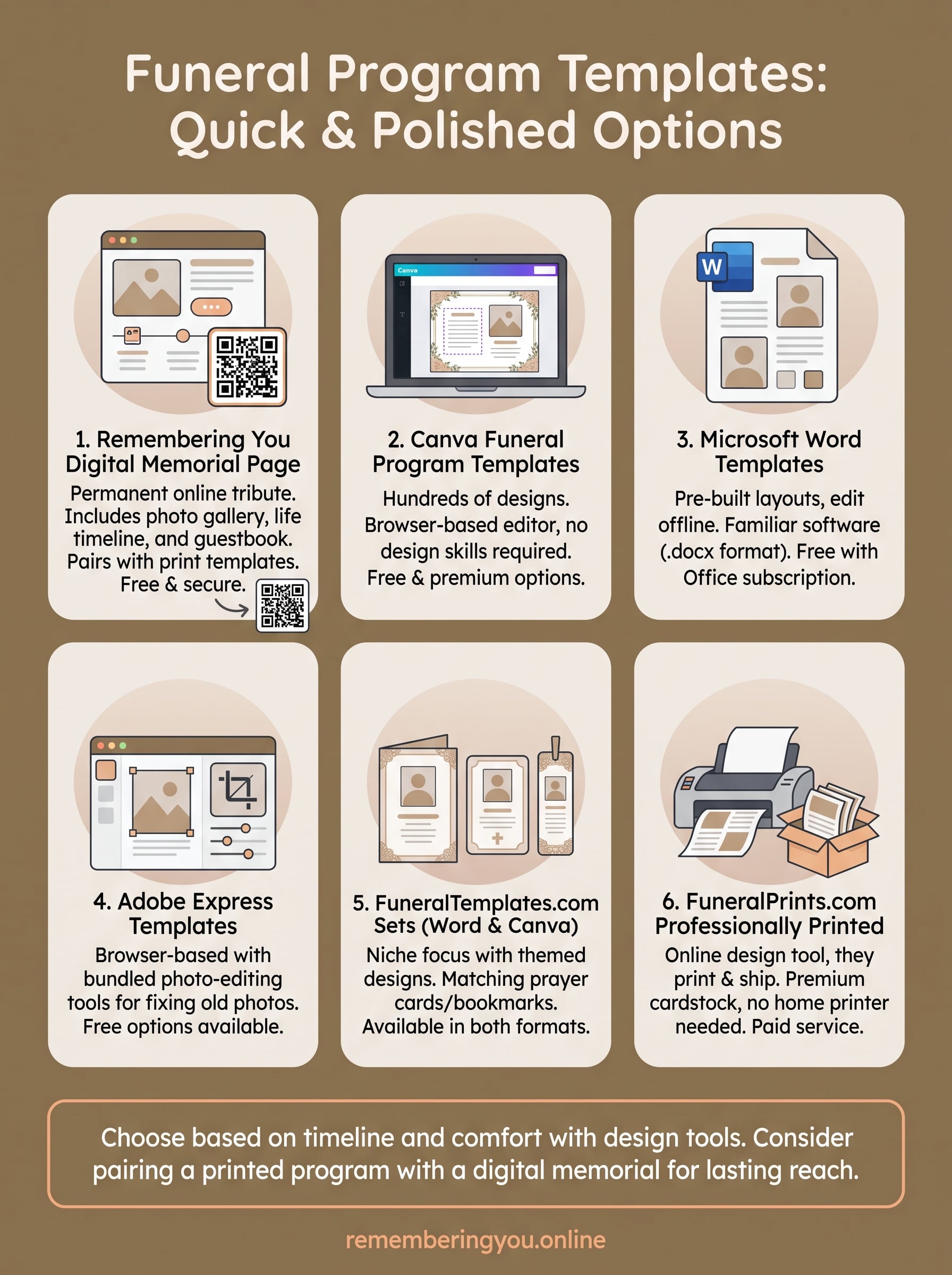
Any of these funeral program templates will get you a printed keepsake you can hand out at the service, whether you need it ready in an hour or shipped finished to your door. Pick based on your timeline and comfort with design tools, not just the first result you find. Word and Canva work well if you're editing tonight; FuneralPrints.com makes sense when you'd rather not touch a printer at all.
Remember that paper fades and gets lost in drawers, while a digital tribute stays reachable from anywhere, for anyone who couldn't make it to the pews. Pairing a printed program with a lasting online memorial gives every relative, near or far, one shared place to return to whenever they want to remember. See how to build a beautiful memorial page with a photo gallery, timeline, and guestbook, and give their story a home that outlasts the folded booklet.